4 min read · 18 October 2026
How to forward receipts into one place from Gmail
Learn how to forward receipts into one place from Gmail to keep your household admin organised. This guide covers setting up automatic forwarding for your digital records.
Written with AI and reviewed against sources. General information only, not legal advice.What that means
- receipts
- gmail
- household
- admin
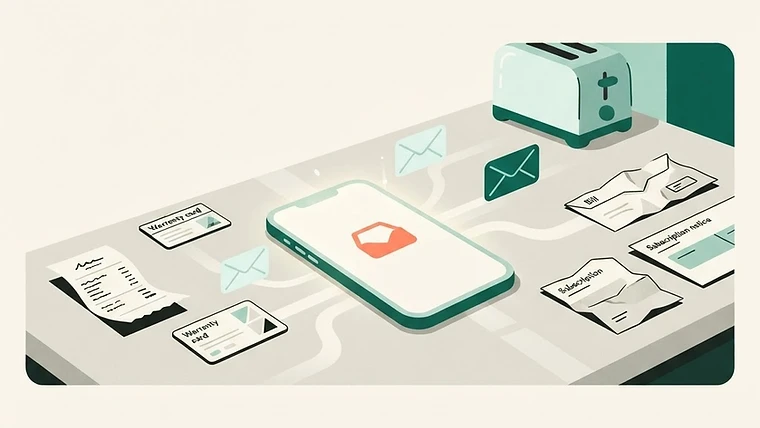
Managing household paperwork often feels like a full-time job. Between online shopping, utility bills, and subscription renewals, your personal inbox quickly becomes cluttered with important documents. Learning how to forward receipts into one place from Gmail helps you keep track of your purchases without the stress of searching through thousands of old messages. By centralising these files, you ensure that you have proof of purchase ready if you ever need to make a claim under the Consumer Guarantees Act 1993.
Why a separate mailbox is better
Keeping your receipts in your personal inbox makes them easy to lose. When you mix personal correspondence with financial records, important documents often get buried or accidentally deleted. Using a dedicated space for your receipts allows you to separate your daily life from your household admin. This makes it much easier to find what you need when you are checking a warranty date or verifying a transaction.
Hey Proofy helps you manage this by keeping your bills and subscriptions in one list. You can forward your receipt emails directly to your account, where the app reads the shop, date, total, and items for you. This saves you from manually filing every single document yourself.
Setting up automatic forwarding
You can set up Gmail to automatically forward specific emails to another address. To do this, go to your Gmail settings and select the Forwarding and POP/IMAP tab. You will need to add a forwarding address and verify it by clicking the link sent to that destination. Once verified, you can create a filter to ensure only your receipts are sent to your chosen storage location.
To create a filter, click the search options icon in the Gmail search bar. You might want to filter by keywords like receipt, invoice, or order confirmation. Once you have defined your criteria, click Create filter and select Forward it to your verified address. This ensures that your personal inbox stays clean while your receipts are safely stored elsewhere.
Checking your setup
After you have created your forwarding rules, it is important to test them. Send a test email that matches your filter criteria to see if it arrives at the destination. Do not assume that a rule is working just because you saved it. Check your destination folder or app to confirm the email was received and processed correctly.
Remember that a manufacturer's warranty is separate from your rights under the Consumer Guarantees Act 1993. The law provides that goods must be of acceptable quality, fit for purpose, and safe. If you have a problem, the retailer is responsible for putting things right. Keeping a clear record of your receipts makes it much easier to approach a retailer if a product fails.
Keeping your records organised
Once your forwarding is active, you should periodically check that nothing is being missed. Some retailers send receipts from different email addresses, which might not be caught by your initial filter. If you notice a receipt did not arrive, you may need to update your filter criteria to include the new sender address.
Hey Proofy can help you stay on top of these details by tracking warranty dates and sending you a reminder before they end. You can also share your receipt list with your household, ensuring everyone has access to the information they need. You can learn more about how this works at https://heyproofy.com/nz/how-it-works.
What to do next
- Identify the email addresses or keywords your favourite retailers use for receipts and create a Gmail filter to forward these automatically.
- Visit https://heyproofy.com/nz to see how you can centralise your receipts and track your warranty dates in one place.
Quick answers
- Can I automatically forward only my receipts?
- Yes. In Gmail, you can create a filter that identifies emails containing words like receipt or invoice. By selecting the Forward it option within that filter, you ensure that only those specific messages are sent to your storage address, keeping your personal inbox free from clutter.
- Does forwarding receipts replace my consumer rights?
- No. Forwarding receipts is simply a way to keep proof of purchase. Under the Consumer Guarantees Act 1993, you have rights regardless of how you store your receipts. The retailer is responsible for goods that are not of acceptable quality or fit for purpose, and your receipt helps prove when and where you bought the item.
- How do I know if my forwarding rule is working?
- Always send a test email to yourself that matches your filter criteria. Check your destination account to see if the email arrived. If it does not appear, review your filter settings in Gmail to ensure the forwarding address is correct and the filter criteria are not too restrictive.
Sources
The official pages this guide was reviewed against. They are the authority, not us.